
How to Allowlist a Domain in Google Workspace to Bypass Spam Filtering
Prerequisites
Since you are modifying organization-wide settings, you will need Super Admin or Gmail Settings administrator privileges.
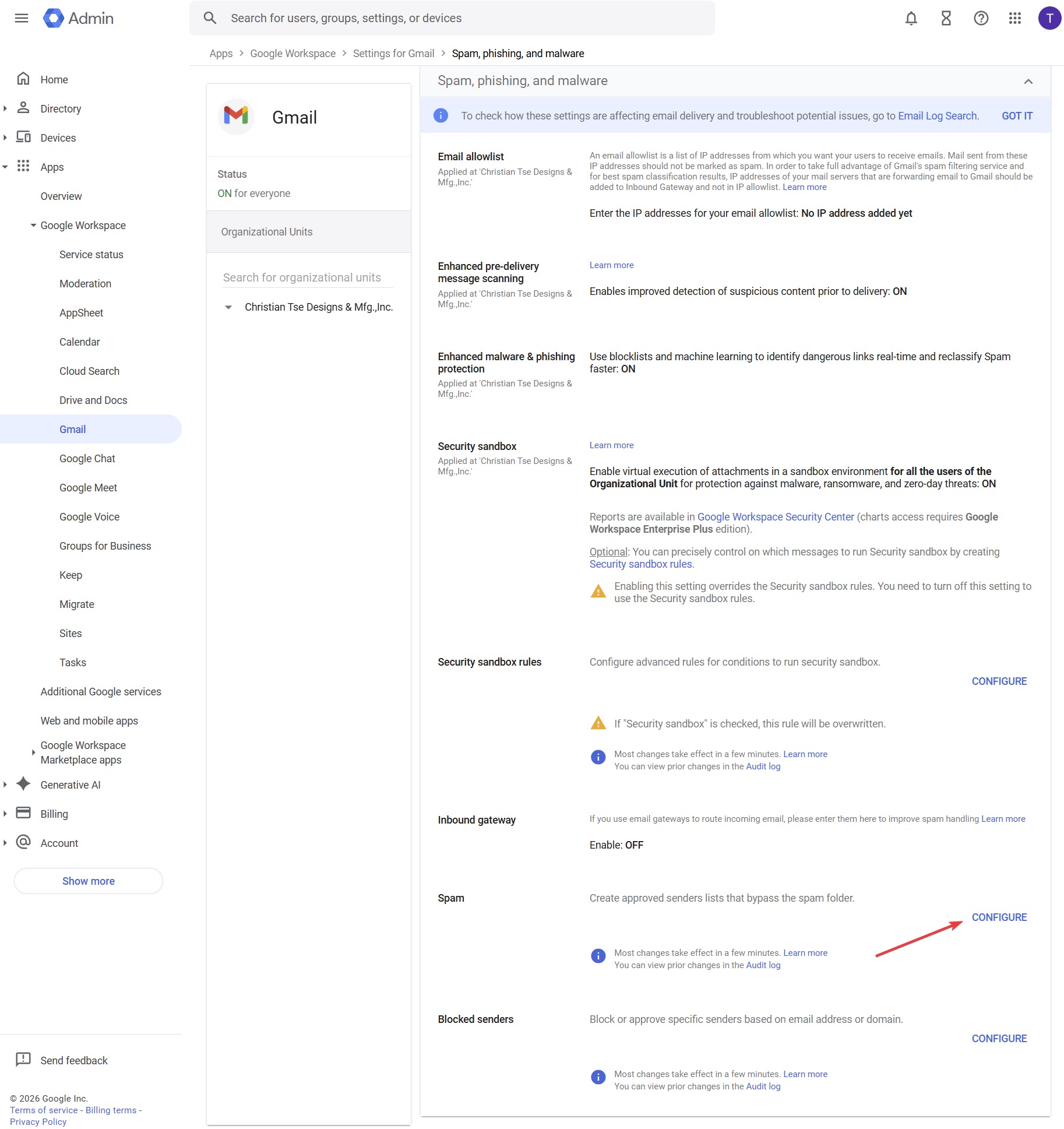
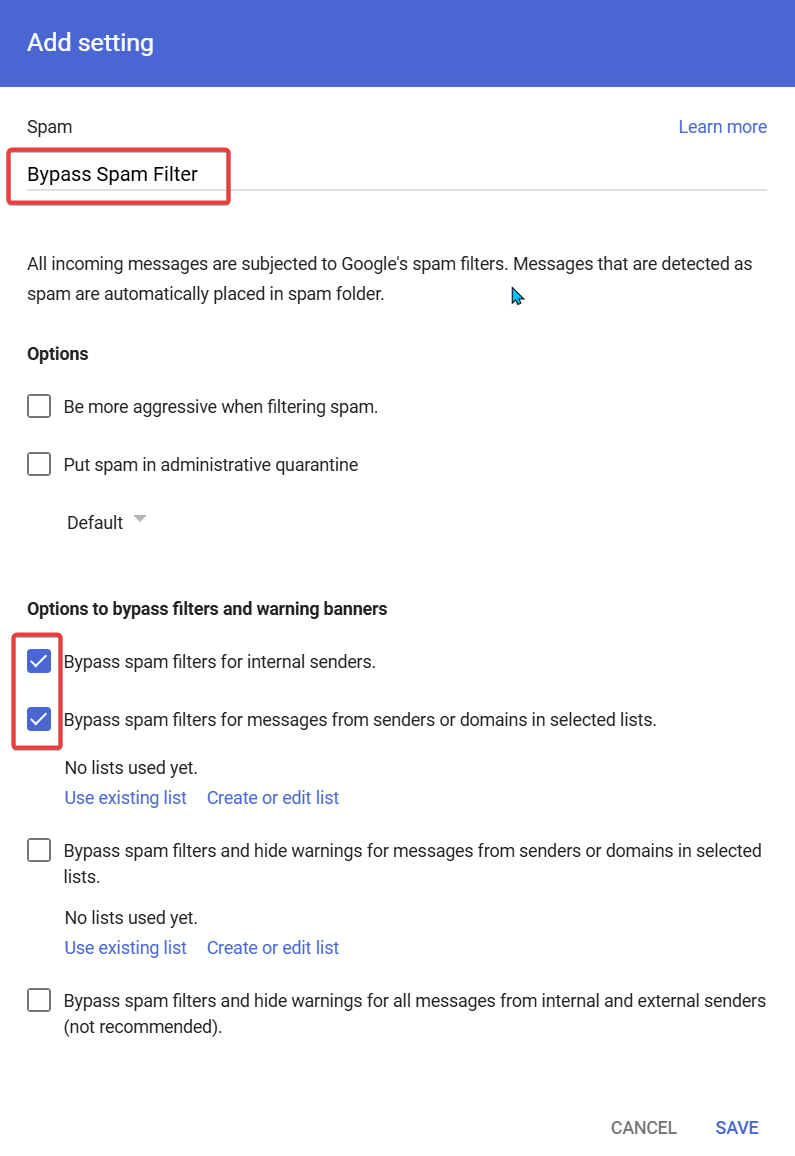
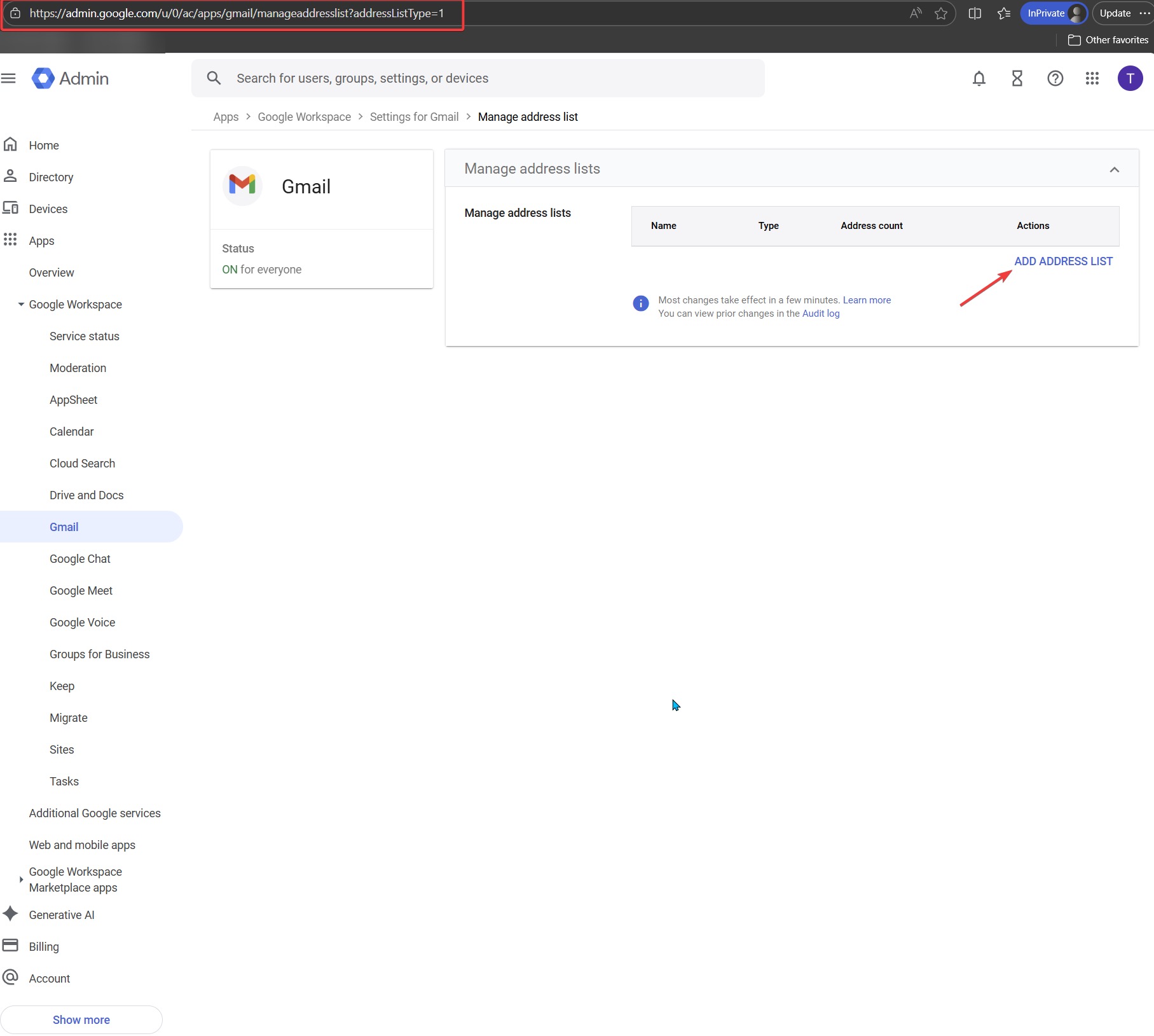
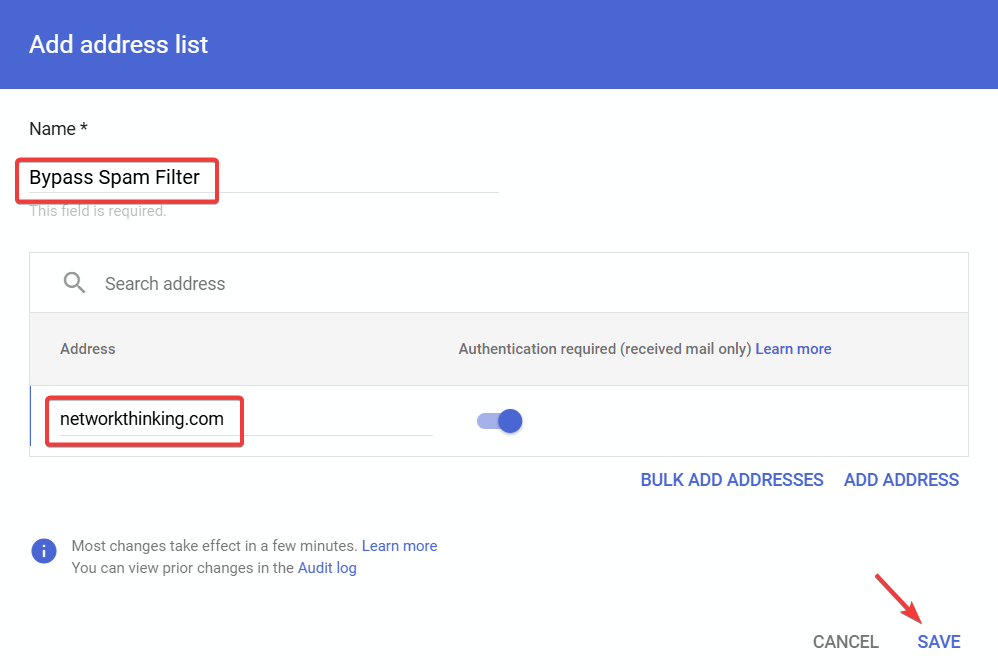
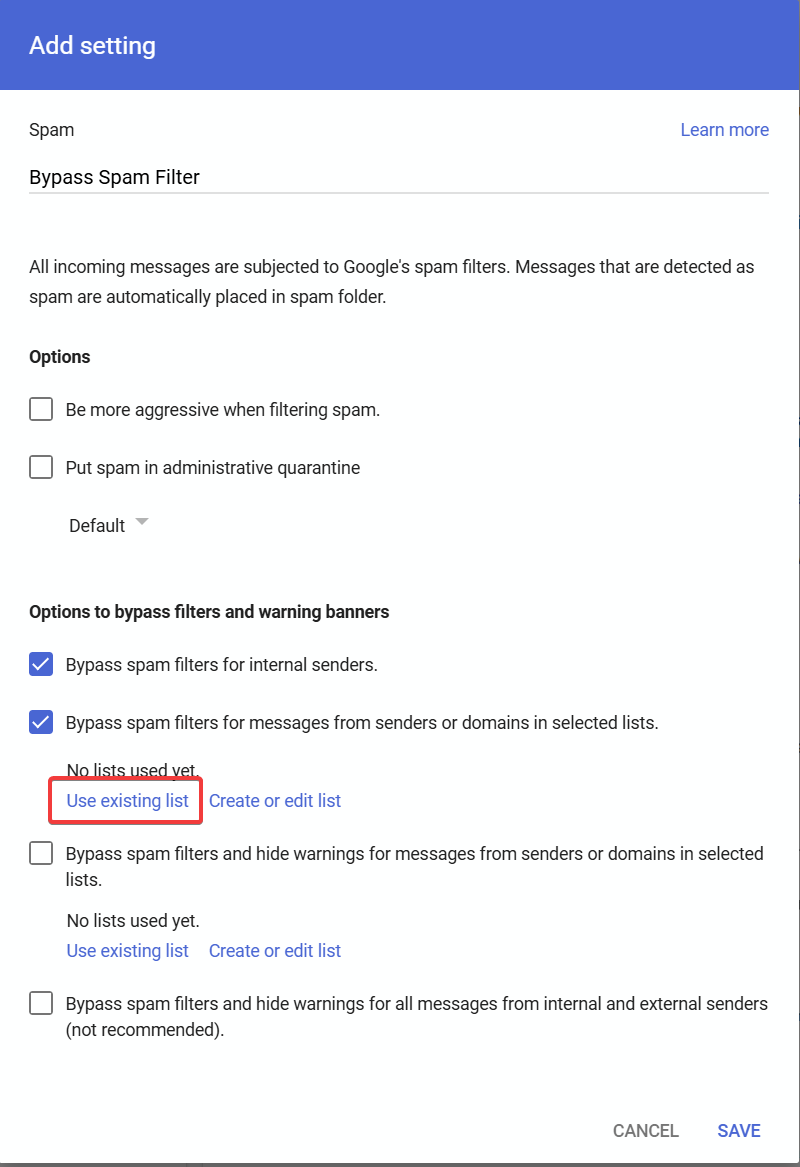
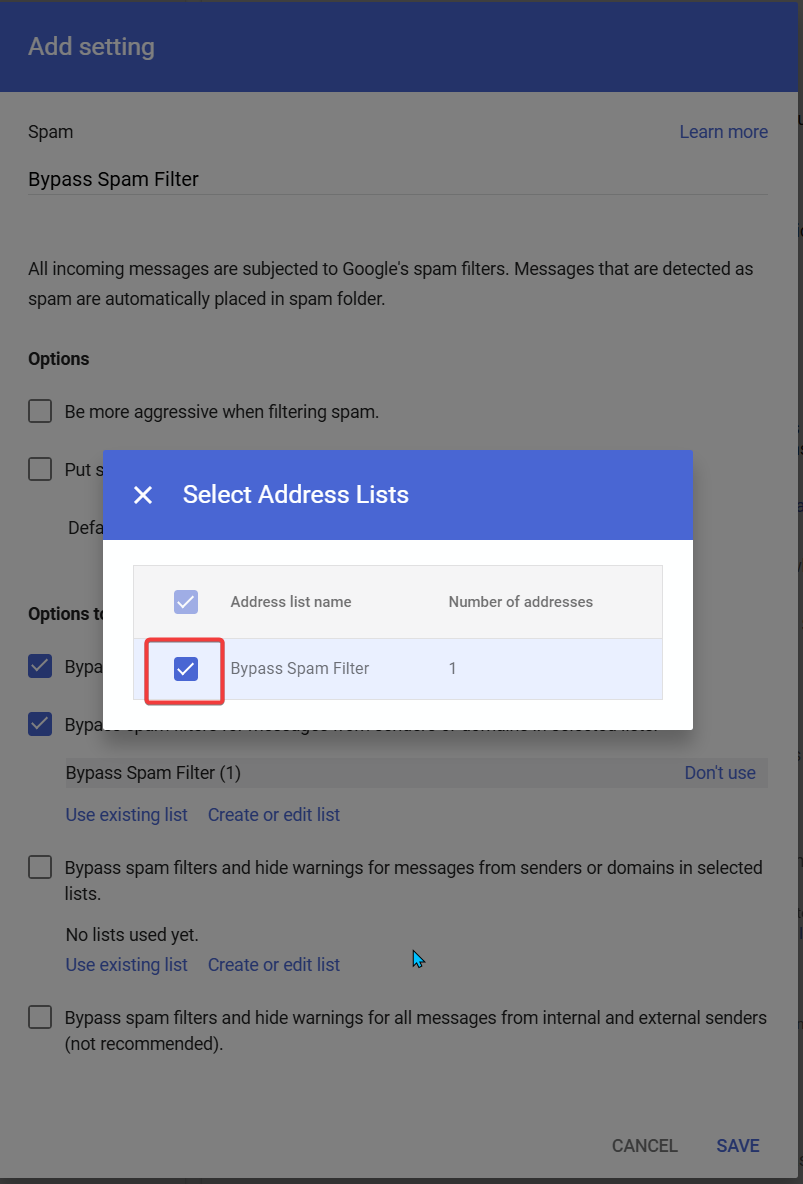
Steps to Allowlist the Domain
Verification and Testing
After saving, the rule will be active within a few minutes (allow up to 30 minutes in some cases).
Ask someone from networkthinking.com to send you a test email to confirm it arrives in your inbox.
Check the email headers to confirm that SPF, DKIM, or DMARC authentication passed.
Security Best Practices
Always keep 'Require sender authentication' enabled to prevent domain spoofing attacks.
Only allowlist domains that are trusted and necessary for your organization.
Review your approved sender lists periodically (quarterly or after major vendor changes).
Educate users to report suspicious emails even from allowlisted domains.
Troubleshooting
If emails still go to spam, verify the domain was entered correctly (no 'www' or protocols).
Check that the rule is applied to the correct organizational unit.
Confirm with the sender that their SPF, DKIM, and DMARC are properly configured.
Contact NTS support at support@networkthinking.com if issues persist.